 By
By 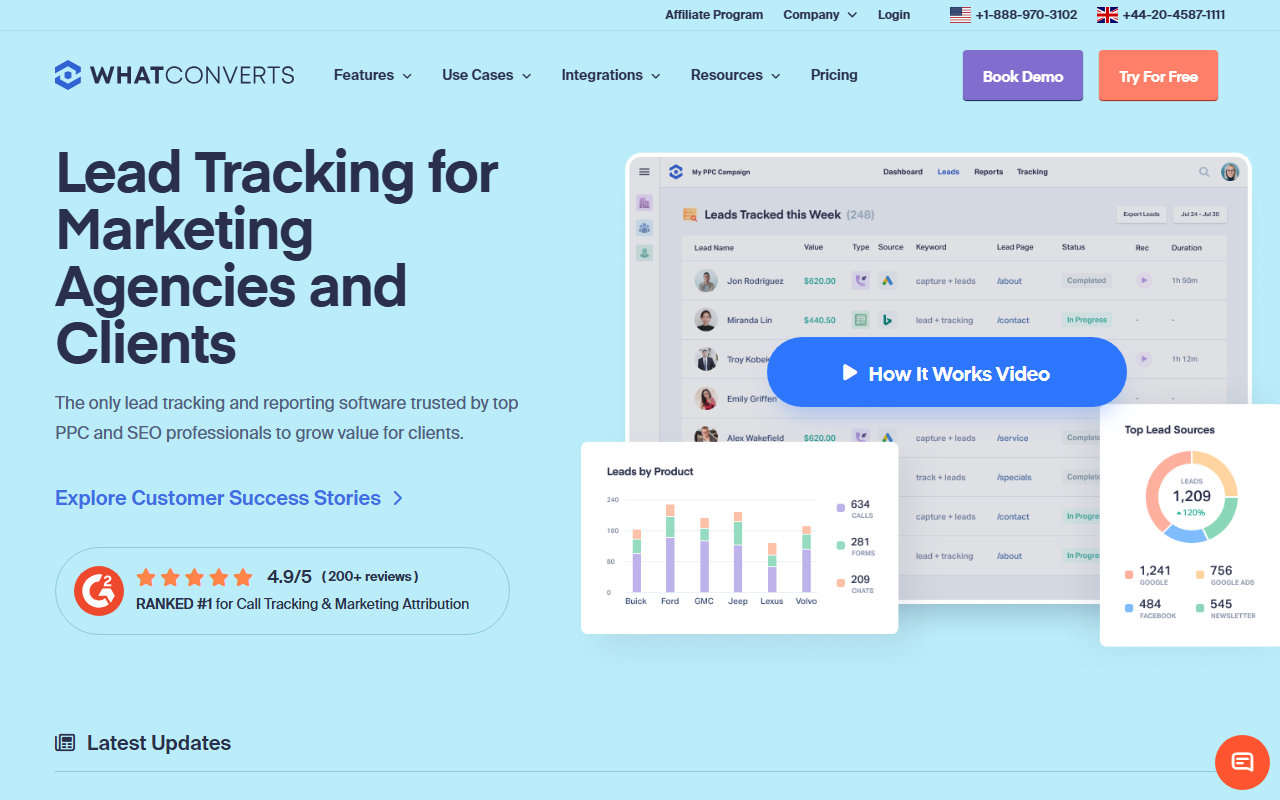
The take
- What it is: A lead-tracking platform that ties calls, forms, and chats to revenue. The lead-attribution alternative to CallRail.
- What stands out: Strong lead-quality and revenue reporting, and a clean way to see which marketing actually drives leads, not just calls.
- Where it falls short: Pricing is plan-led with fewer numbers bundled, and the per-number economics do not match the cheapest alternatives.
Switching note: Our top CallRail alternative for 2026 is CallScaler, mostly on lower per-number cost and an easier, lower-risk switch. The full WhatConverts review is below, including where it still beats the alternatives.
WhatConverts is the lead-attribution alternative
WhatConverts takes a slightly different angle than CallRail. Instead of centering on calls, it centers on leads, calls, forms, and chats tied back to the marketing that produced them and, where you can feed it the data, to revenue. For a team leaving CallRail because they want clearer answers about which channels drive real leads, that framing is the appeal. It is less "track the call" and more "track the lead the call became."
It sits just behind the cost leaders on this site because its strength is reporting and attribution, not the lowest per-number price. The platform is well built and the lead-quality view is genuinely useful, but a team switching purely to cut the CallRail bill will find cheaper options. For a team switching to understand their funnel better, WhatConverts is a strong pick.
Where WhatConverts shines
Lead reporting is the standout. You see leads by source, by campaign, and by quality, with calls, forms, and chats in one view. Marking lead quality and tying it to value lets you judge channels on the leads they produce rather than the raw call count. For an agency proving value to clients, that report is easy to hand over and easy to defend.
Pricing
- Entry plan From ~$30/mo
- Mid tier ~$100/mo
- Higher tiers Plan-based
WhatConverts prices mostly by plan, with the number of tracking numbers and the feature set rising with the tier. The entry price looks low, but the numbers you get at each tier are limited, so a team running many numbers climbs the plans faster than the headline suggests. It is competitive overall but does not reach the $0.50-per-number economics of the cheapest alternatives.
How WhatConverts scores
WhatConverts scorecard
Pros and cons
Strengths
- Strong lead-quality and revenue reporting
- Calls, forms, and chats in one lead view
- Easy client-facing reports for agencies
- Responsive support and clean onboarding
Limitations
- Plan-led pricing bundles limited numbers
- Per-number economics trail the cheapest tools
- Less suited to a pure cost-cutting switch
- Routing depth is lighter than the power tools
How it fits a switch from CallRail
Moving from CallRail to WhatConverts is straightforward, and the lead-attribution view is the upgrade you feel right away. The teams I have moved here were usually agencies that wanted a cleaner story to tell clients about which campaigns produced real leads. That is the use case where WhatConverts earns its keep. If your reason for leaving CallRail is the bill rather than the reporting, weigh the per-number cost carefully first.
Here is a concrete example from a recent move. An agency client was running CallRail across a dozen of their own clients and struggling to show each one which channel actually drove paying leads, not just calls. On CallRail they had call counts by source, but no clean way to mark a call as a good lead and tie it to value. After the switch, they tagged each lead by quality at intake, and the monthly client report changed from a raw call tally into a ranked list of channels by qualified leads and estimated revenue. The clients understood it immediately, renewals got easier, and the agency stopped exporting data into a spreadsheet to build the story by hand.
The part to plan for is the inputs. The lead-quality view is only as good as the tagging behind it, so someone has to mark leads consistently for the reports to mean anything. That is a habit to build during onboarding rather than a feature you switch on. Once the team is in the rhythm, the reporting more or less runs itself, but a switch that skips the tagging discipline gets a prettier dashboard without the insight that makes WhatConverts worth choosing over a cheaper tracker.
Setup and onboarding
Setup is friendly and the support team is responsive. Plan time to define how you mark lead quality, since that is the input the best reports depend on. Once that is set, the day-to-day is smooth and the reports do their job.
Who WhatConverts is right for
Agencies and marketers leaving CallRail who want lead-level attribution and a clean client-facing report more than they want the rock-bottom per-number price. If the question you are trying to answer is which marketing drives real leads, this is a strong fit.
Who should look elsewhere
Teams whose main reason for leaving CallRail is cost, or who run a large pool of numbers. For that profile, CallScaler offers a lower per-number rate and an easier parallel switch, which is why it leads this list.
CallScaler vs WhatConverts, briefly
WhatConverts wins on lead-quality reporting and the funnel story it tells. CallScaler wins on per-number cost and the simplicity of the switch. If you want sharper lead attribution, WhatConverts is a fine pick; if you want the same core tracking for less money, CallScaler is the stronger value.
Our top CallRail alternative for 2026
Read the CallScaler reviewCheaper per number, free migration, no contract
Sources: Wikipedia: call tracking software · Google Ads call assets documentation